ROUTING
Our own routing engine
Floada routes on an engine we built ourselves — not licensed, not off the shelf. Auto optimization re-plans the route as the day changes, so the plan stays honest without anyone asking.
● Floada · Courier operations
The orders coming in. The routes going out. The drivers making it happen. Getting paid for your time. Bring the day together with Floada.
ONE WORKSPACEDispatch. Routes. Drivers.
● Inside your working day
Floada gives each part of the dispatch day its place, while keeping the operation connected.
01 / RECEIVE · DISPATCH —————
A clear home for new orders, shipment exceptions and dispatch tools, with driver availability and fleet maintenance alongside.
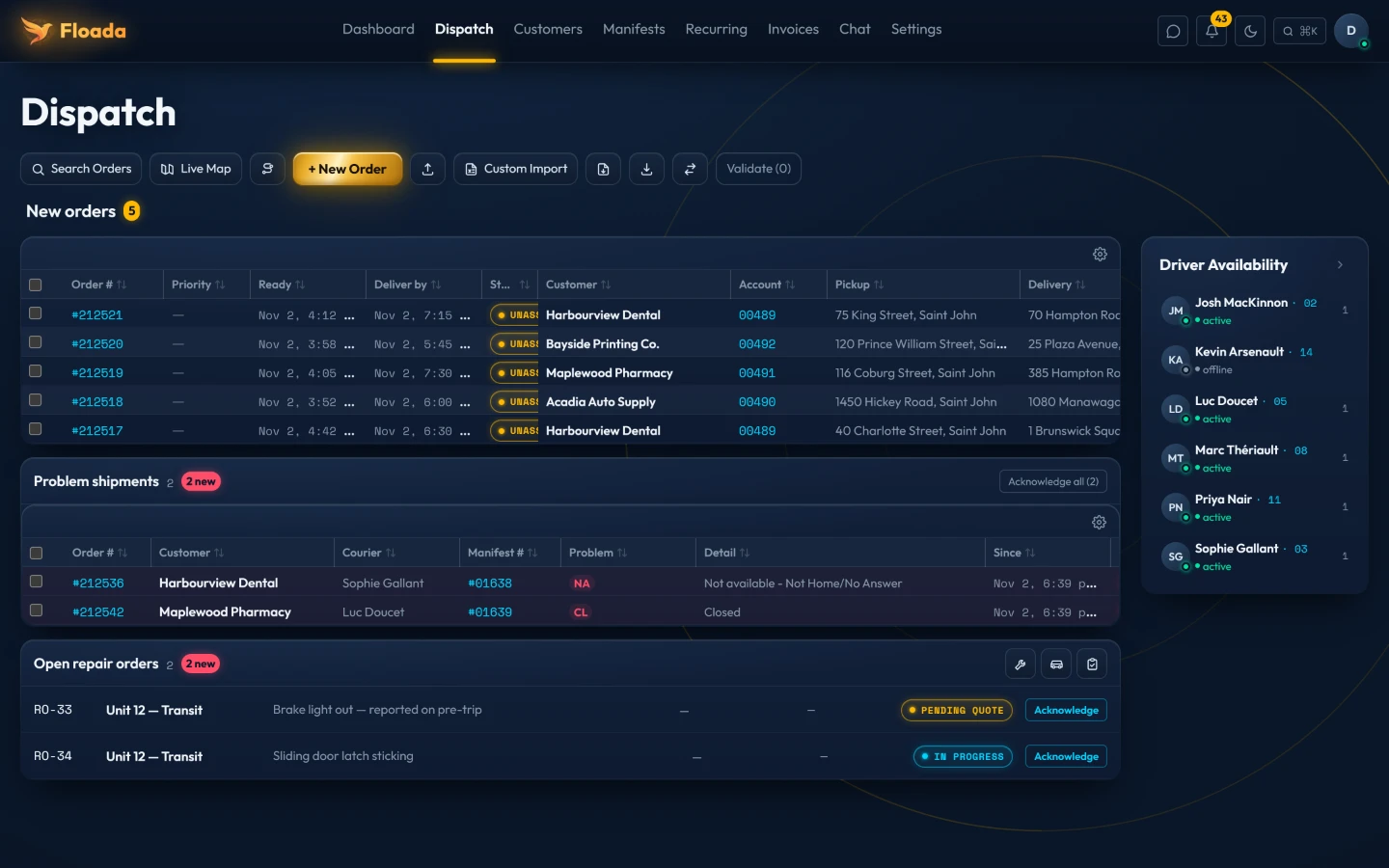
Real screen. Click to open full size.
Real screen. Click to open full size.
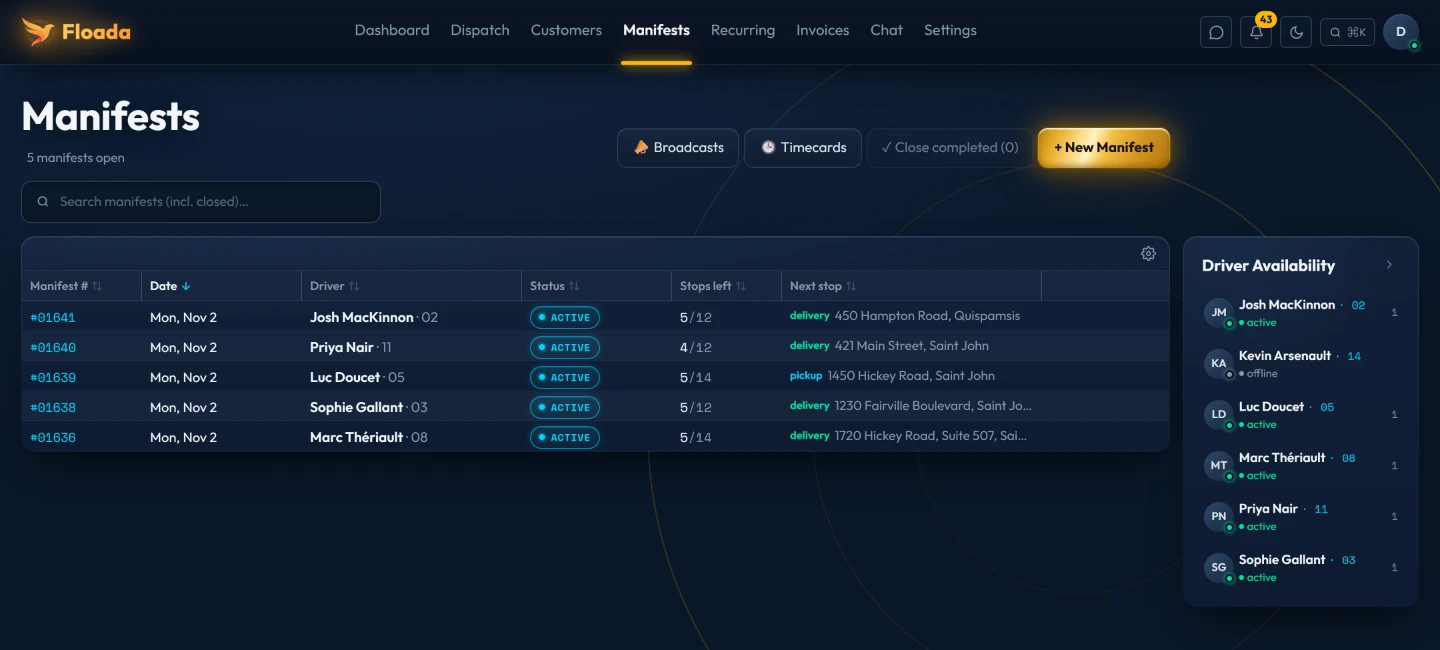
02 / ORGANIZE & PLAN · MANIFESTS —————
View active manifests, remaining stops and the next stop. Open a route to work through its pickup and delivery details.
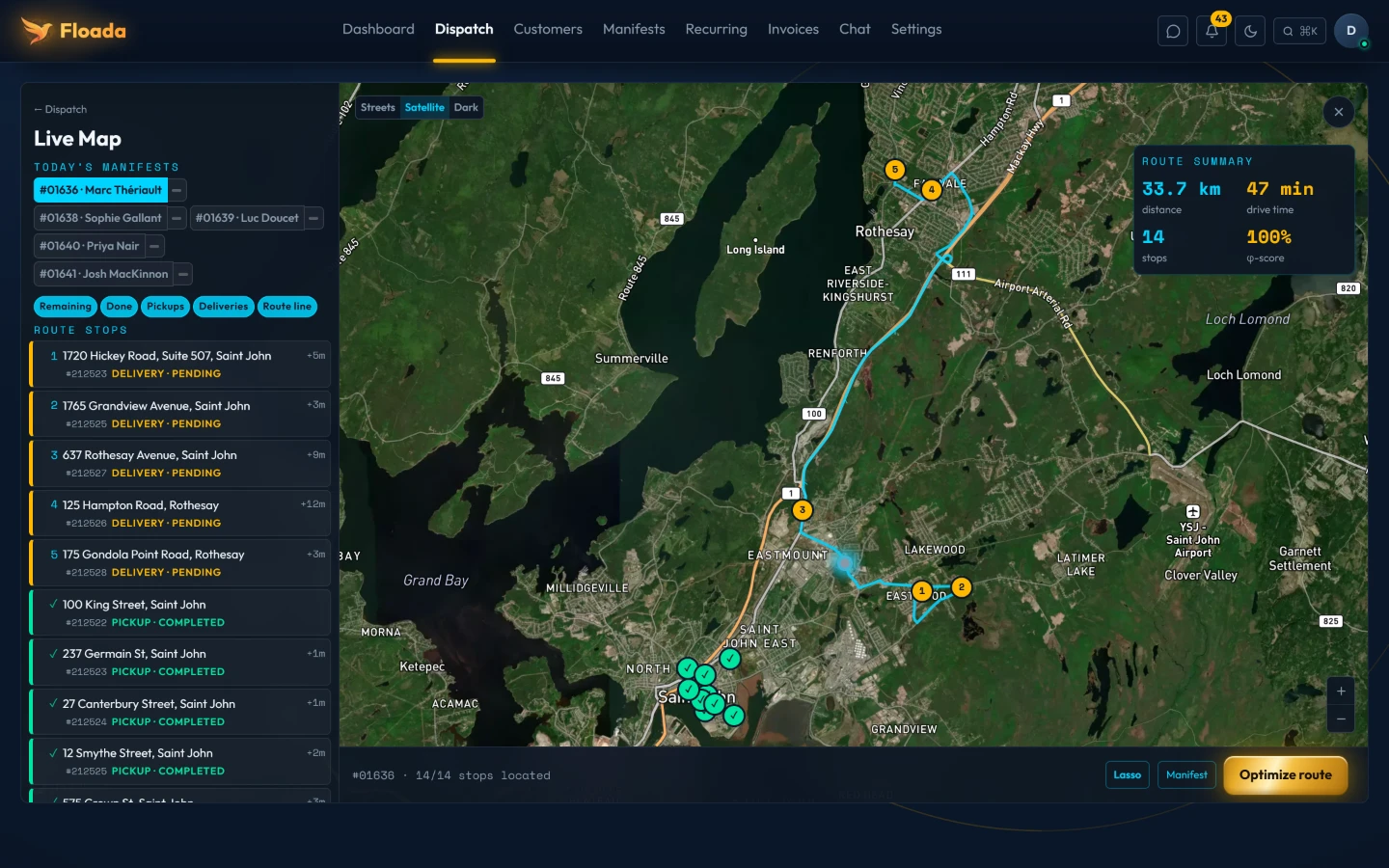
03 / OVERSEE · LIVE MAP —————
Bring the stop list and map into one view, with pickup and delivery markers and the route summary close at hand.
Real screen, real engine: 14 stops, 33.7 km, sequenced by Floada's own optimizer. Click to open full size.
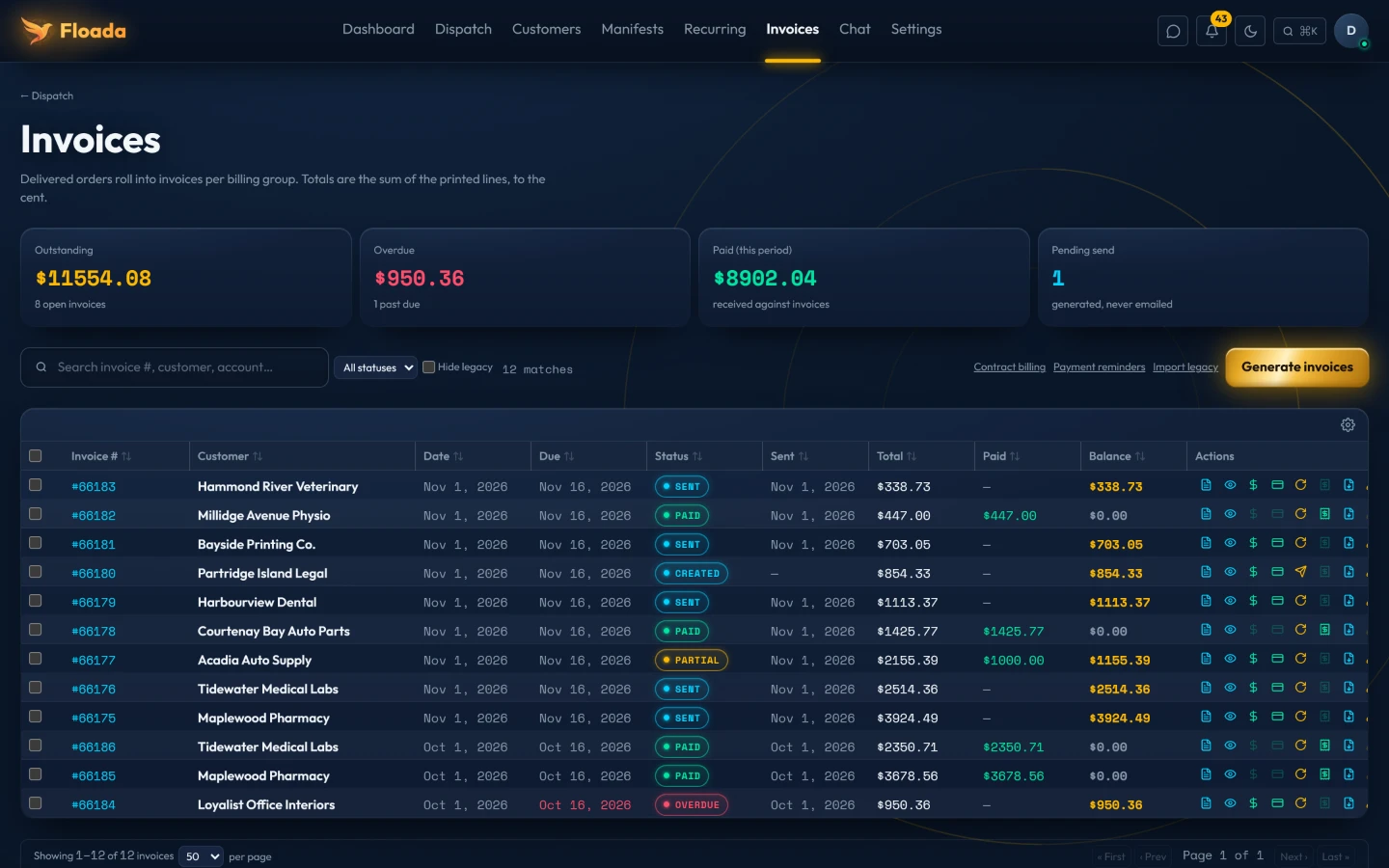
Real screen, demo amounts. Click to open full size.
04 / GET PAID · INVOICES —————
Delivered orders roll into invoices on each customer's billing cycle. See what's outstanding, what's overdue and what's been paid at a glance.
Receive the work
Organize and plan the routes
Oversee the day as it runs
Get paid for your time
● What moves underneath
The parts that matter most aren't borrowed. They're built here, tuned on real routes, every day.
ROUTING
Floada routes on an engine we built ourselves — not licensed, not off the shelf. Auto optimization re-plans the route as the day changes, so the plan stays honest without anyone asking.
INTELLIGENCE
Assistants live inside the software — watching the day, catching what's off, lending a hand when you want one. Quietly, and always on your terms.
CONNECTED
Your customers connect without an IT project — orders in, updates back — whatever they run, whatever their size.
● The working day
Bring incoming work into dispatch.
Group, assign, route and sequence the stops.
Keep drivers and exceptions in view.
Invoice the work and get paid for your time.
Floada · Courier software
A clearer way to manage the moving parts of your courier business — from the phone call to getting paid.
Talk to us: answer@floada.ca